
World Anvil Alternatives
This post was written by the TypeTak team. Our own product is part of the comparison, so please read with that in mind. Prices and features reflect each service's official pages as of October 2026 and may change. We compare from a novelist's point of view and leave out RPG features like statblocks and campaign management.
What is World Anvil?
World Anvil is a tool for building your world up like a wiki. You write characters, places, organizations, species, and magic as articles from templates, and draw the world out with maps, timelines, and family trees. Finished worlds can be published to the web for readers or players, and Manuscripts lets you write the book there too.
It has no AI features. When users asked for one, World Anvil declined, saying "AI features are not within the scope of World Anvil."
Why writers use World Anvil
Writers use it to build a world with nothing left out. More than 25 templates guide each entry with prompts about what to write, and maps, timelines, and family trees all sit in one place. There's also a large community sharing published worlds.
"World Anvil is one of the best worldbuilding platforms on the market today."
— Kindlepreneur (2026)
The flip side, many reviews say, is that all those features take time to learn.
"It has a sharp learning curve, which could be a barrier for many authors."
— Kindlepreneur (2026)
Below, we compare four features side by side with TypeTak, Campfire, and LegendKeeper: organizing lore, seeing your world at a glance, writing alongside your world, and publishing and sharing.
1. Organizing lore
| Feature | World Anvil | TypeTak | Campfire | LegendKeeper |
|---|---|---|---|---|
| Organize characters, places, and lore as entries | Articles | World | Modules | Wiki pages |
| Templates by type | 25+ | Define any types you need | 18 modules | Templates |
| Create your own fields | Sidebar fields | Fields per type | Custom Attributes | Properties block |
| Formatting shows as you write | Visual Editor (some formatting only) · BBCode editor with tags | Toolbar · Markdown shortcuts | Word processor | Block editor |
| Link entries to each other | @mentions · Autolinker | [[ links | @mentions · tags | @mentions · auto-linking |
| Backlinks | ||||
| Hide lore from readers | Secrets | Private entries | Hidden panels | Secret blocks |
| AI sets up types and fields for your story | ||||
| Organize lore while writing your novel with AI |
World Anvil, TypeTak, Campfire, and LegendKeeper all organize characters, places, and lore as entries, link them to each other, and hide what you don't want readers to see.
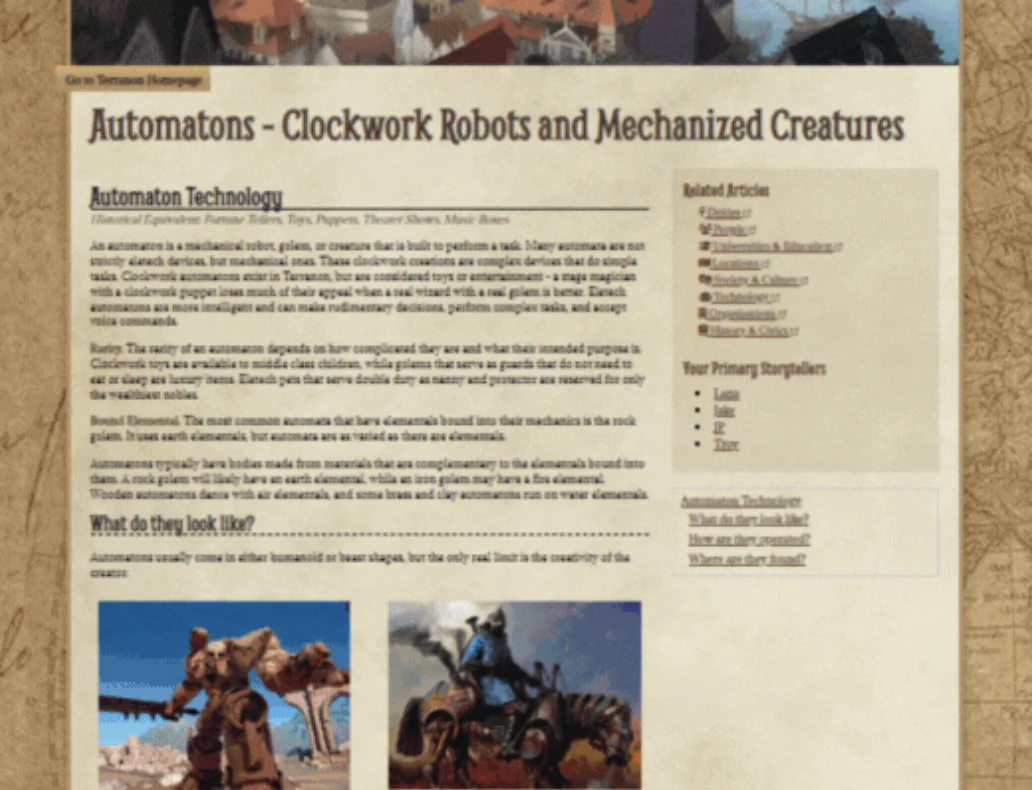
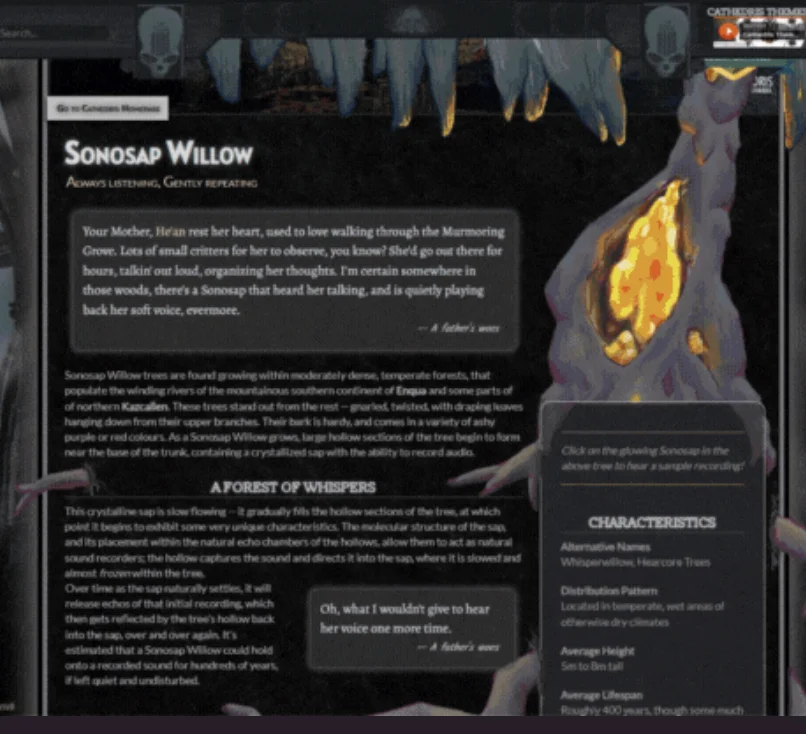
World Anvil has the deepest templates. Each of its 25+ templates, from characters and locations to organizations, species, and magic, comes with prompts about what to write, so filling in the blanks pulls out lore you hadn't thought of. Templates also include relationship fields, so a character's family or organization is picked from other articles. You write in one of two editors. The advanced editor has you type formatting as code (BBCode), like [b] for bold, which gives you plenty of control but means learning the tags; the Visual Editor shows formatting as you go but can't do some advanced formatting. The Autolinker finds words matching article titles and turns them into links. Lore you want to keep back, like the ending, goes into Secrets that you reveal only to the readers you choose. You can't add fields a template doesn't have, though.
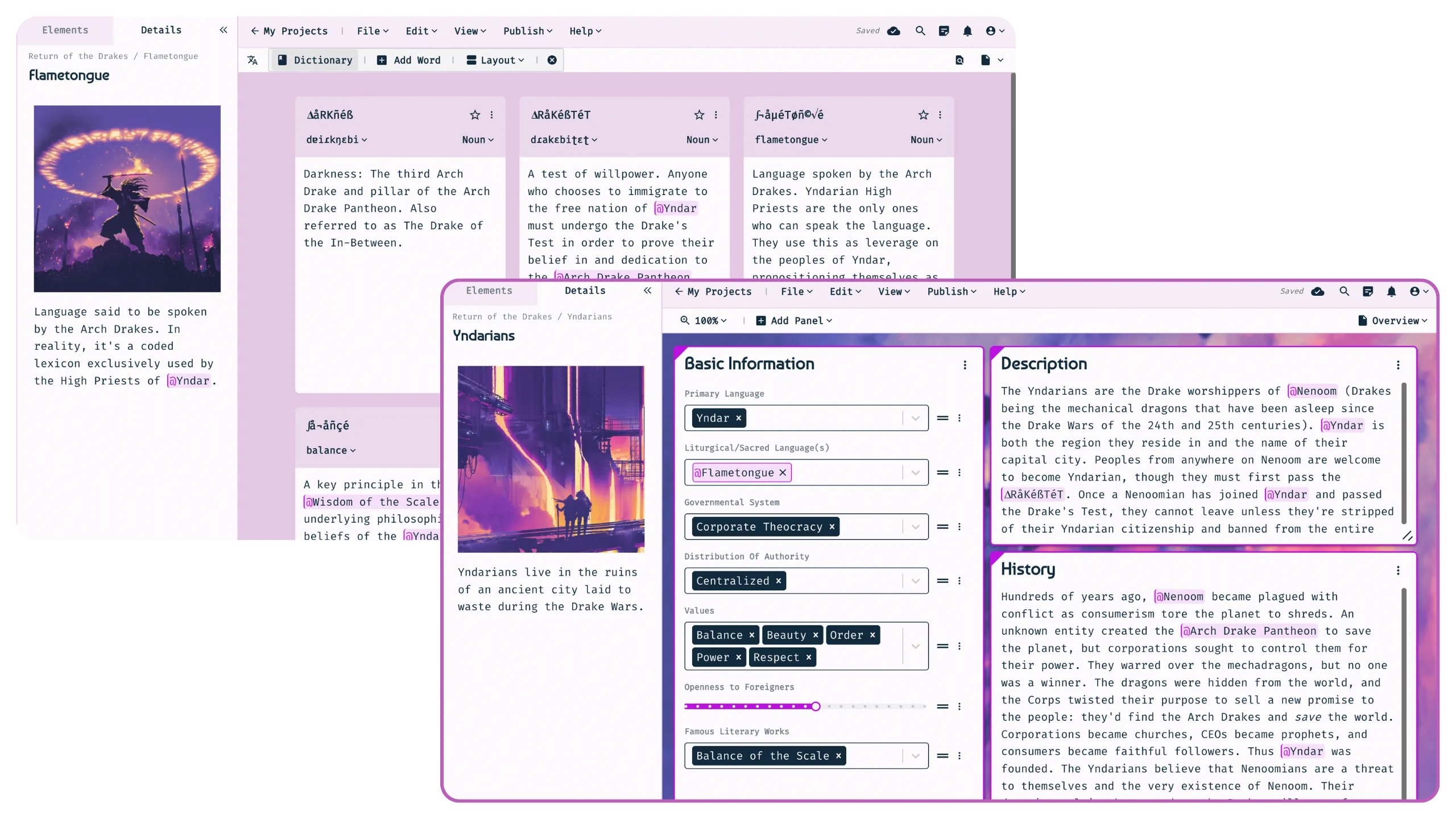
TypeTak's World has the most modern lore editor of the four. You write in an editor that shows formatting as you go. Click bold, strikethrough, headings, or lists on the toolbar, or use Markdown shortcuts. Link other characters and events to jump to them in one click, and every place that links to an entry gathers in its backlinks. Every entry has a property table that holds not just text but numbers, options, and other entries as values.
TypeTak has no fixed templates. Instead, you define whatever types your story needs, like characters, places, factions, or magic, differently for each story, and create fields for each type. You don't have to set all this up by hand: the AI creates types and fields to fit your story, so it isn't a chore.
Organizing with AI — your lore gets organized as you write. Unlike World Anvil, Campfire, and LegendKeeper, TypeTak can organize your lore while you write your novel with AI. Characters, places, and rules you settle while talking with the agent collect in the World backlog below the chat box; click Organize to file them into your World. You can also build and edit your World entirely by hand, without AI.
Campfire gives each kind of lore its own module. There are 18, covering characters, locations, magic systems, species, cultures, languages, religions, and more, and the character module alone has more than 100 attributes and seven panel types. You move and resize panels, and make your own templates and fields (Custom Attributes). Information you're not ready to reveal can be hidden panel by panel.
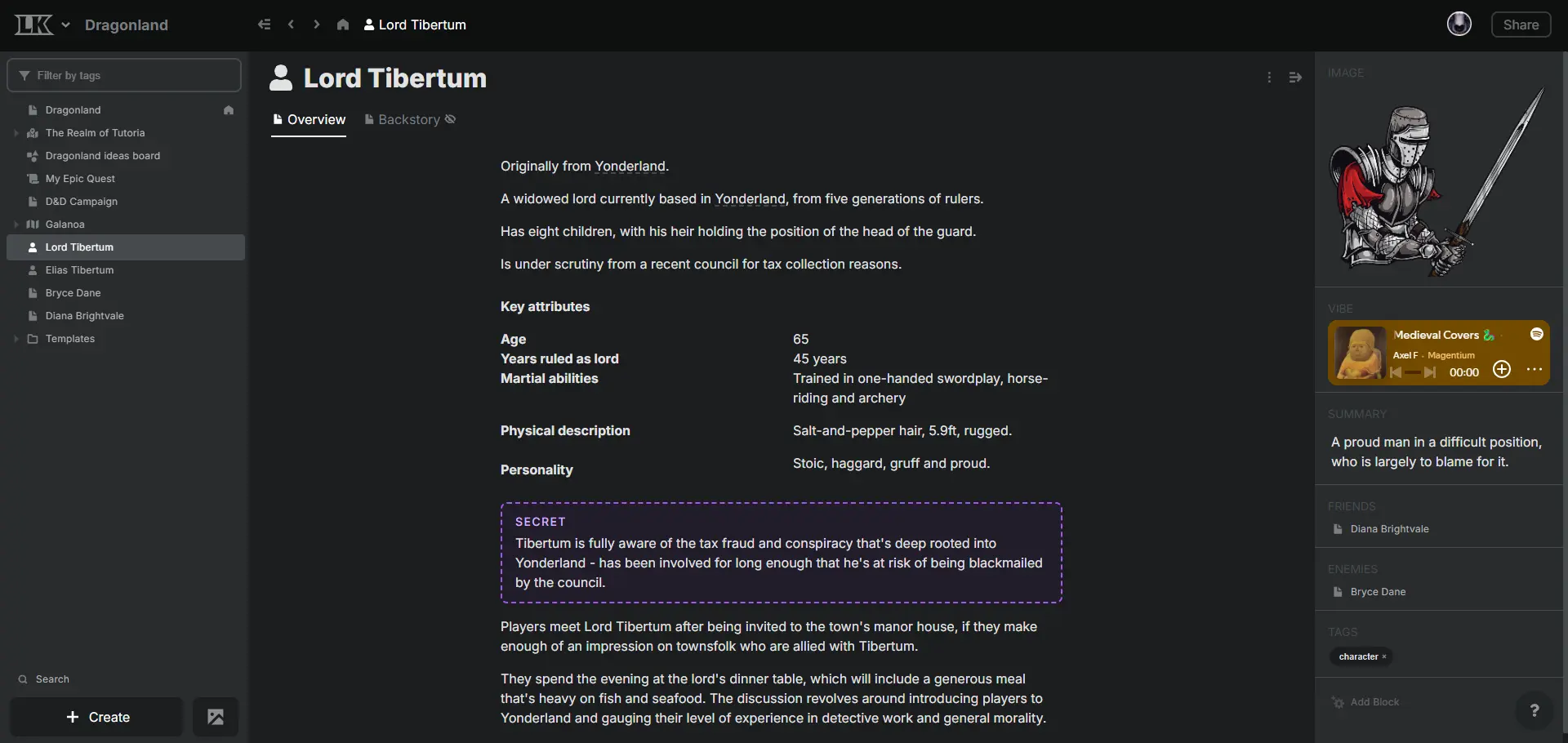
LegendKeeper starts from a blank page. Slash commands add blocks like images, tables, and an Infobox; @ links another page and [[ ]] creates a new one on the spot. As you type, it offers to link names of existing pages, and every page that mentions this one gathers in its backlinks. Instead of fixed fields, you note short facts in a Properties block, and anything you want to hide goes into a Secret block.
2. Seeing your world at a glance
| Feature | World Anvil | TypeTak | Campfire | LegendKeeper |
|---|---|---|---|---|
| Interactive maps | Pins · layers · nested maps | Pins · zones · layers | Pins · regions · paths · nested maps | |
| Timelines | Lanes · Chronicles | Built with a board type | Timeline · Gantt | List · Gantt · calendar |
| World calendars | ||||
| Relationship maps | Family trees · diplomacy webs | Relationship graph | Relationship webs · family trees | Drawn on a whiteboard |
| Compare entries of a type in a table | ||||
| Freeform whiteboard | Whiteboards | Canvas | Relationship flowchart · timeline canvas | Boards |
Timelines
All four lay events out in time order.
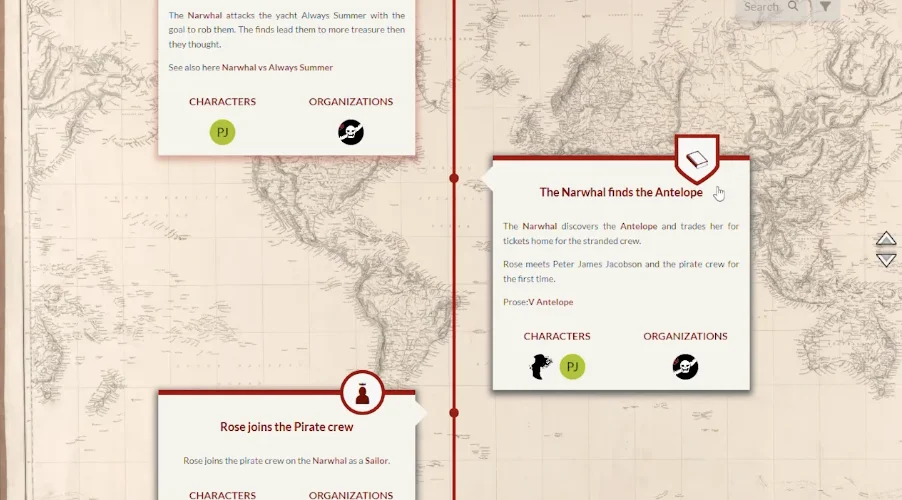
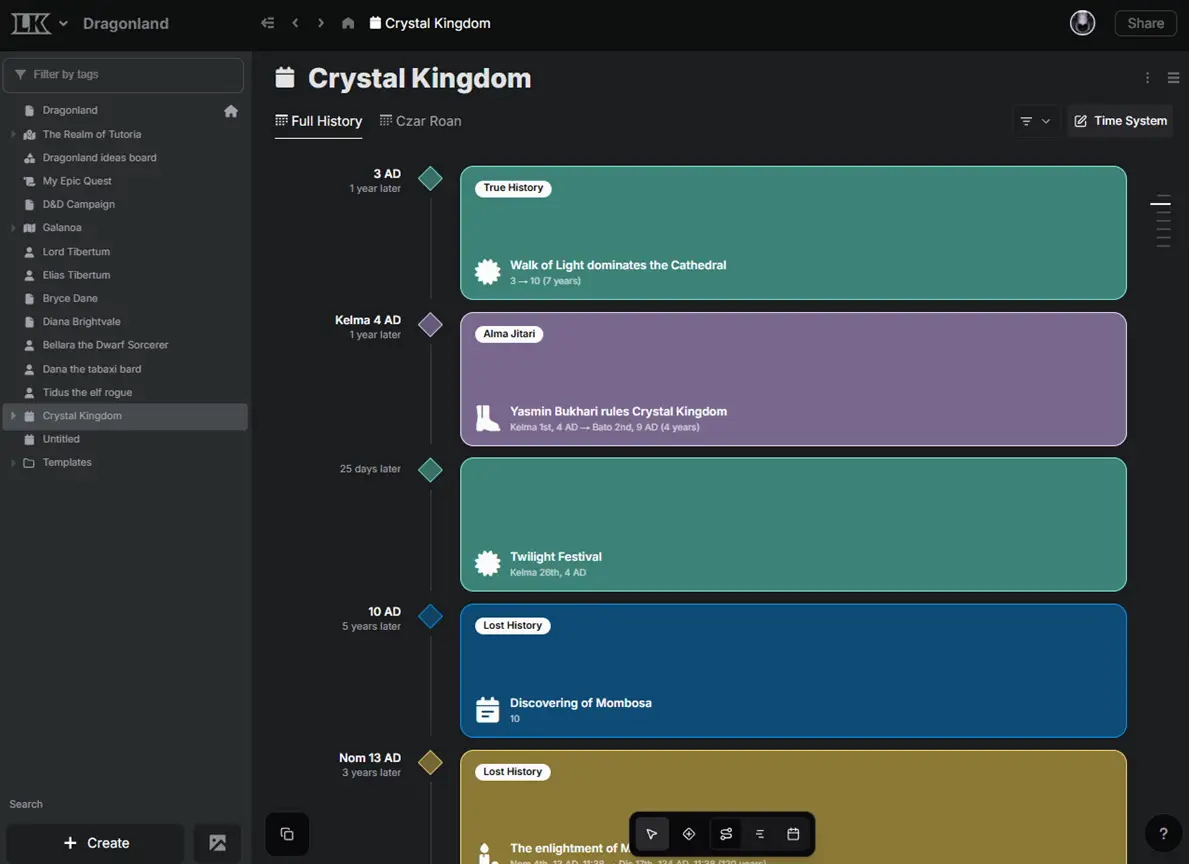
World Anvil runs events in parallel on up to 11 lanes, one per faction or culture, lays eras such as dynasties beneath them, and lets one event appear in several timelines.
TypeTak turns a board type into a timeline. Set up eras or parts as columns and events as cards, attach characters and places from your World to each card, and switch the same board to a table to skim events row by row.
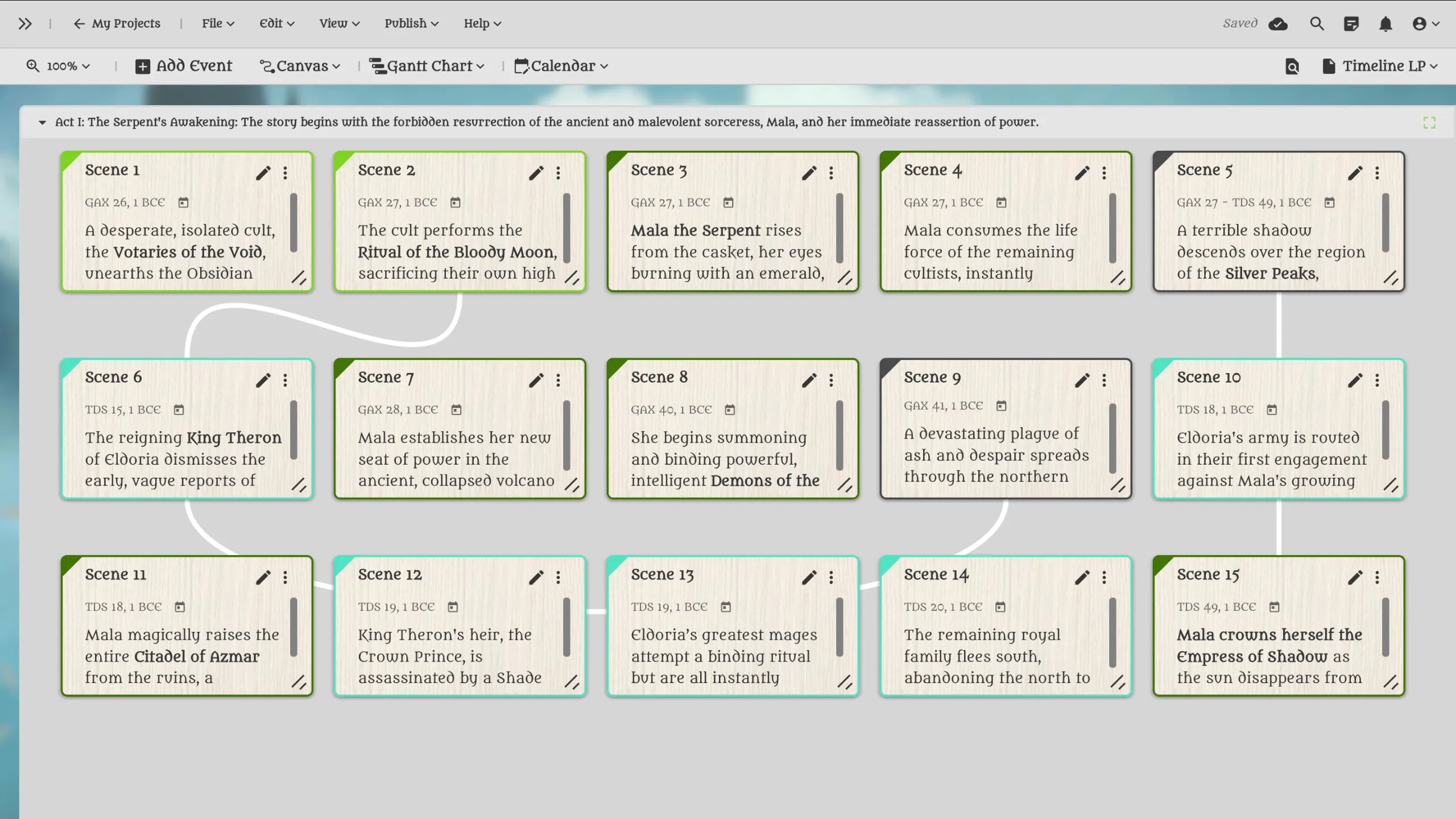
Campfire places event cards on rows that can stand for periods or for each character's path. It links cards flowchart-style to show how one event leads into the next, switches to a Gantt chart for longer spans, and keeps the timeline in two-way sync with the world calendar.
LegendKeeper switches the same events between list, Gantt, and calendar views, drawing events that have a duration as overlapping bars. Separate timelines, each on its own calendar, can be merged into one master timeline.
Whiteboards
All four have a board where you place cards freely and connect them with lines.
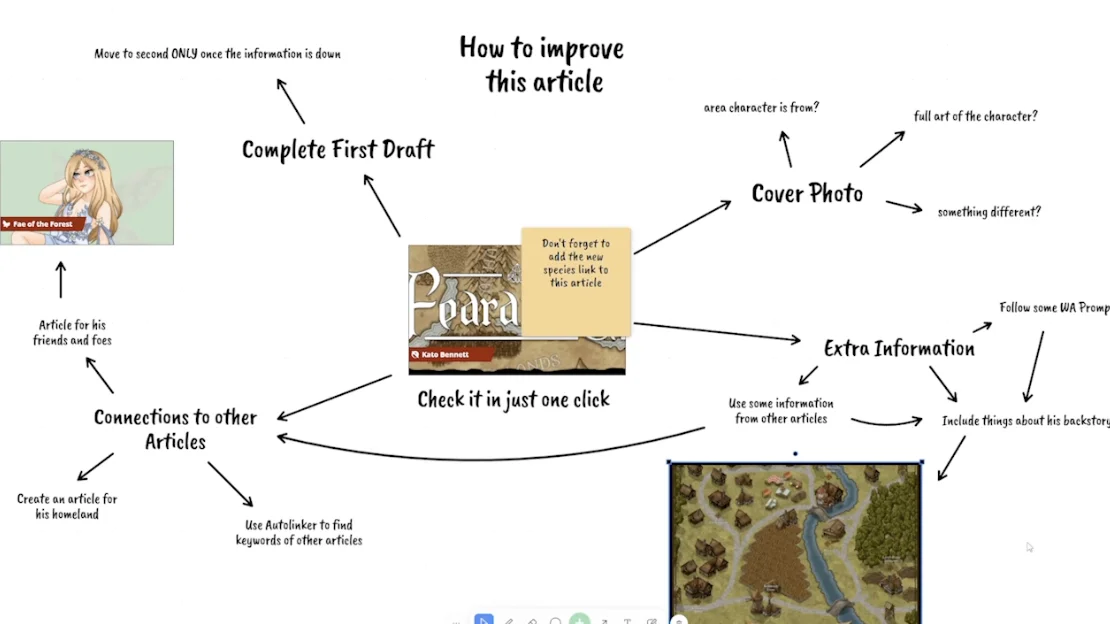
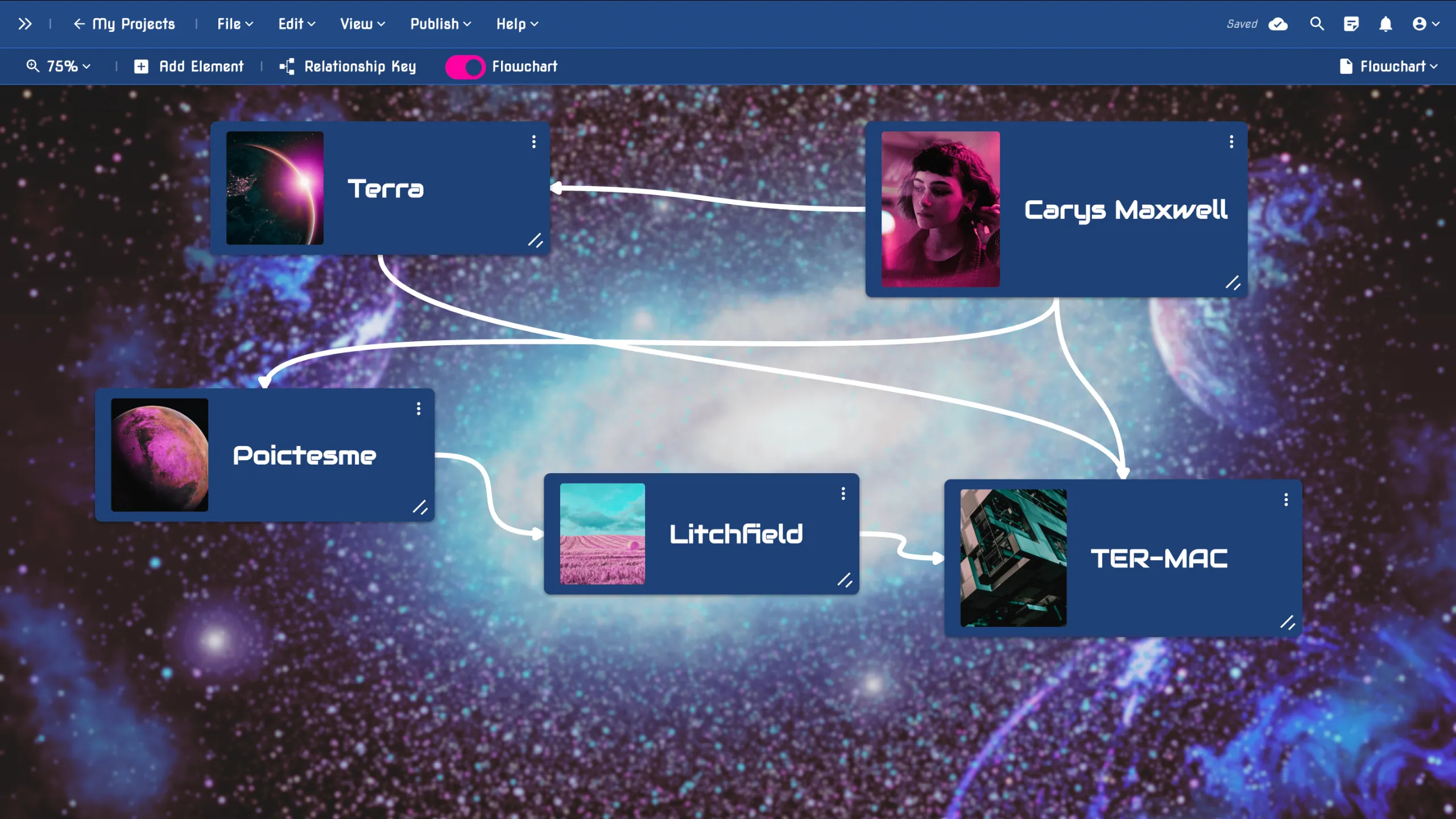
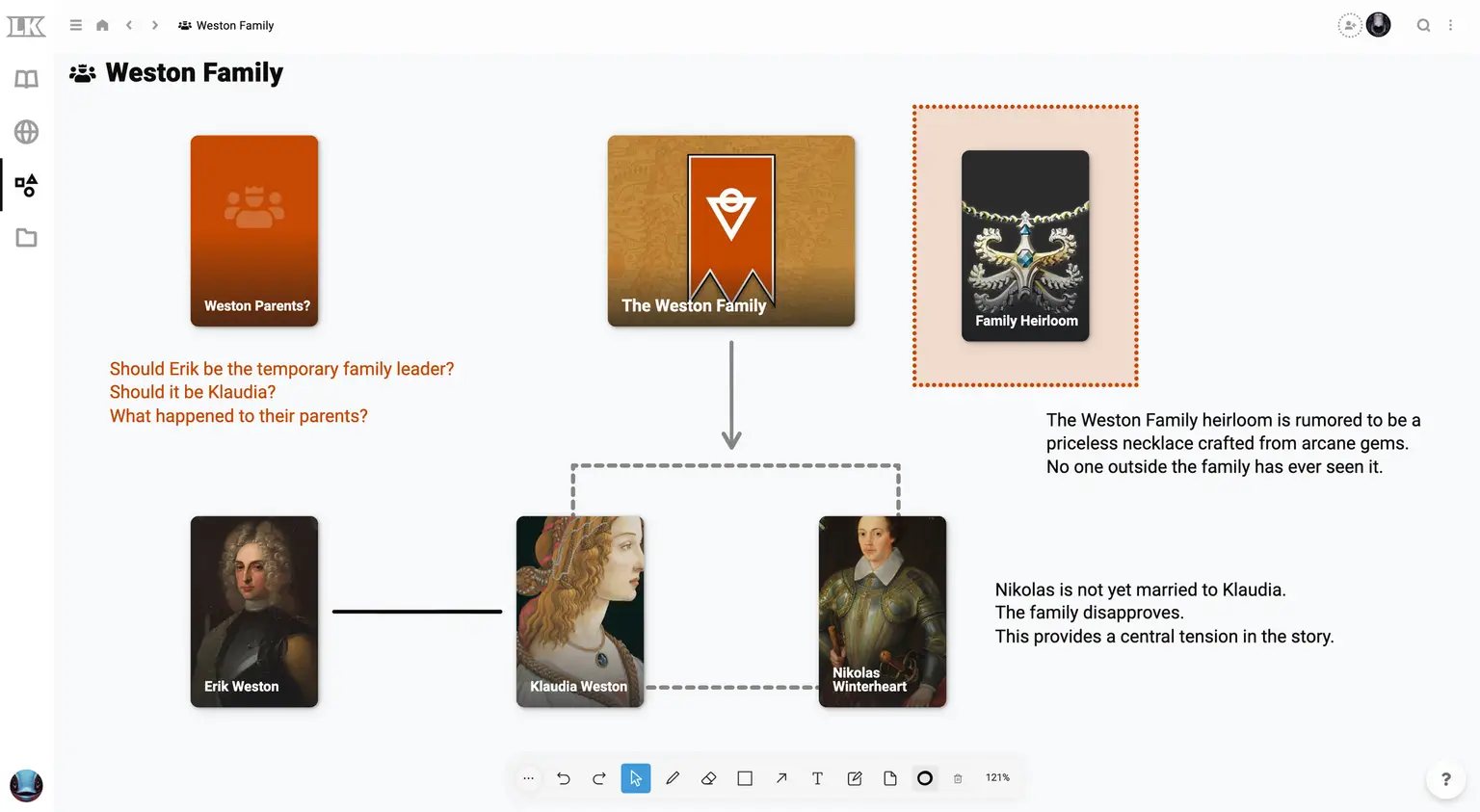
World Anvil's Whiteboards hold shapes, arrows, sticky notes, and freehand drawing, and a search of your world drops in articles and maps along with their main images. Arrows stay attached when you move what they point to, and a finished board can be embedded in an article for readers. Whiteboards start on the Master plan.
On TypeTak's Canvas, you place cards alongside characters and places pulled straight from your World, with no retyping, and join them with labeled connectors. Group cards into sections by part or place, and link a page to a card to open it in one click.
Campfire's relationship web, switched to flowchart mode, puts places and other elements on cards alongside characters and joins them with arrows. The Timeline module's canvas lets you arrange card panels freely.
LegendKeeper's Boards are whiteboards you sketch on together with everyone in your project. Page Cards bring wiki pages onto the board for family trees, flowcharts, and pointcrawls.
Maps and other views
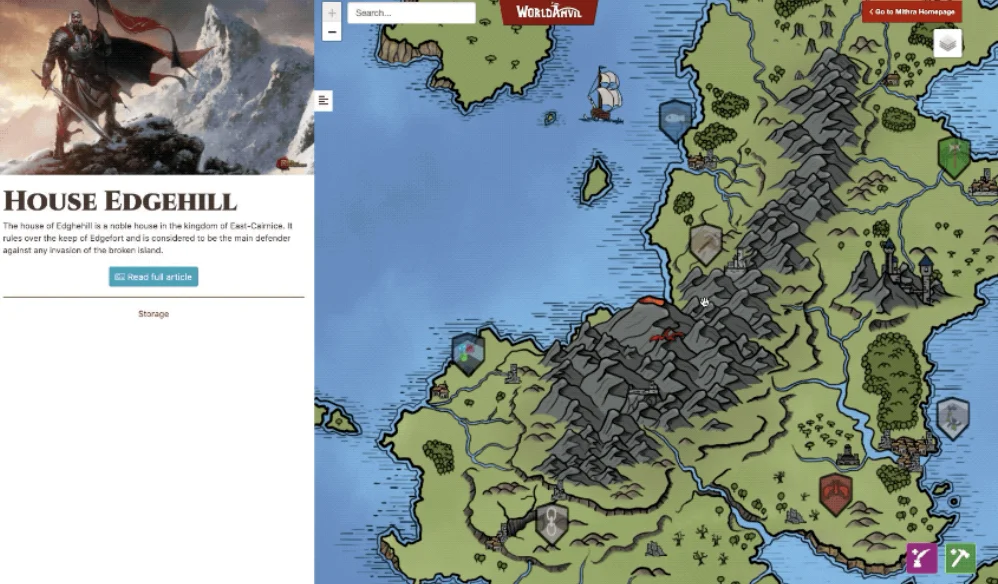
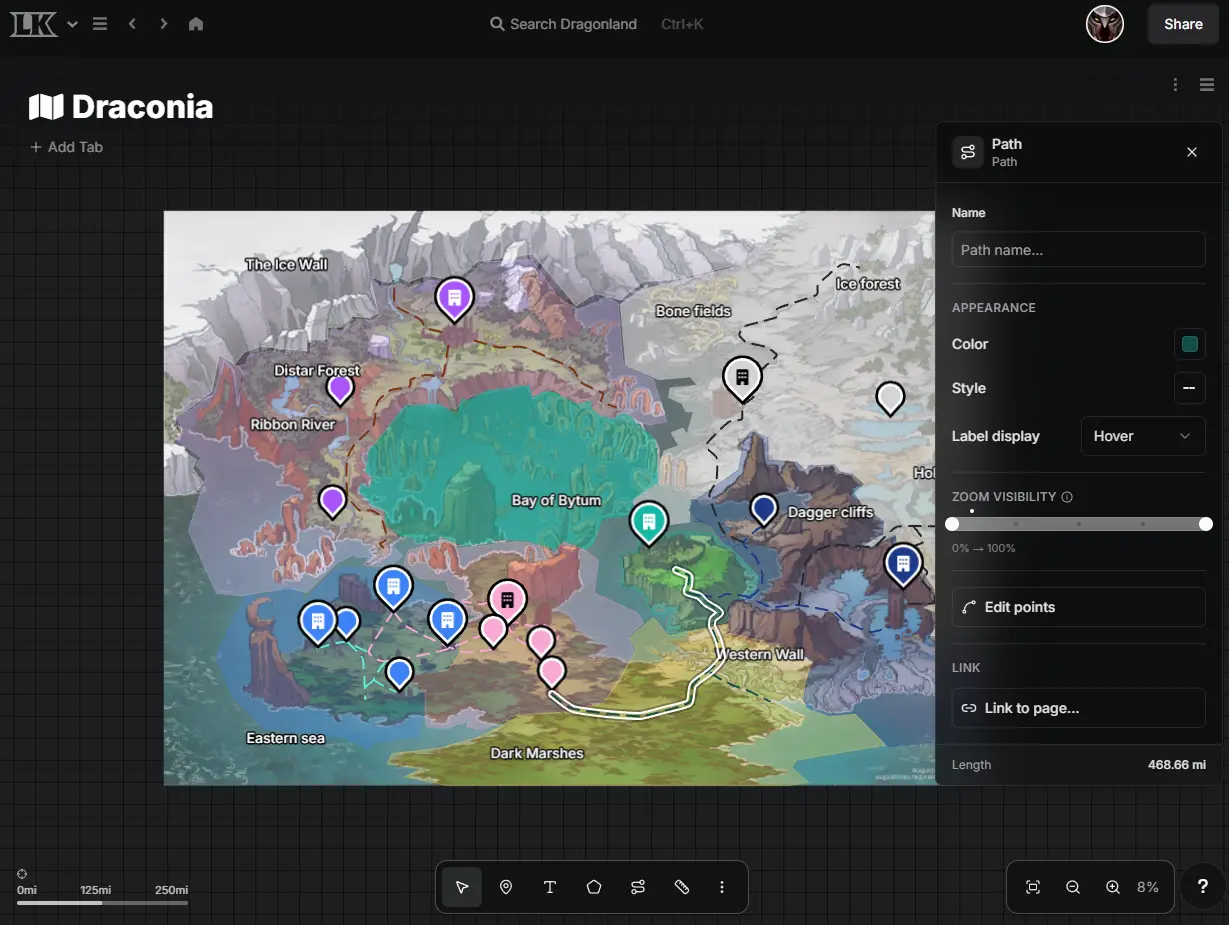
World Anvil, Campfire, and LegendKeeper all have interactive maps.
World Anvil puts pins, labels, lines, circles, and polygons on a map and stacks layers; clicking a pin opens its article or steps into another map. Chronicles join a timeline to a map, so clicking an event moves the map to where it happened (Master plan and up).
Campfire maps take icon pins, zones, and layers, plus a ruler and legend.
LegendKeeper is built around its maps. Its map tool, rebuilt in 2026, draws pins, regions, and paths, measures distances once a map is calibrated, and nests maps inside maps without limit.
All three also keep world calendars. World Anvil's and Campfire's calendars track multiple moons and their phases, and LegendKeeper uses a calendar you build or one from an existing fantasy setting. For relationships, World Anvil draws family trees and diplomacy webs between organizations (Master plan and up), Campfire draws relationship webs and family trees, and LegendKeeper has you draw them on Boards.
TypeTak has no maps, but it offers distinctive views of its own. The lore you've filled into your World entries' fields shows up directly as a relationship graph and a table.
Relationship graph — see who's tied to whom at a glance. In TypeTak, record a relationship as a field and it becomes a line in the graph, so the whole web is visible without drawing a chart yourself. A relationship you record on one side shows up on the other too.
Table — compare characters and places side by side. All entries of a type are laid out in one table, with fields like age, occupation, and affiliation lined up for comparison. Change a type's fields and every entry changes, existing ones included.
3. Writing alongside your world
| Feature | World Anvil | TypeTak | Campfire | LegendKeeper |
|---|---|---|---|---|
| Manuscript editor | Manuscripts (Master plan and up) | Manuscript module | ||
| Keep lore open beside the page | Notes panel on the right | Split view | Notes sidebar | |
| Arrange chapters and scenes as cards | Drag to reorder | Board · table | Index cards | Whiteboard |
| Export the manuscript | HTML | PDF · DOCX · TXT · EPUB | PDF · EPUB | |
| AI drafting and revision |
World Anvil, TypeTak, and Campfire let you write the manuscript next to your world. LegendKeeper describes itself as focused on campaign worldbuilding rather than book publishing, and has no manuscript feature.
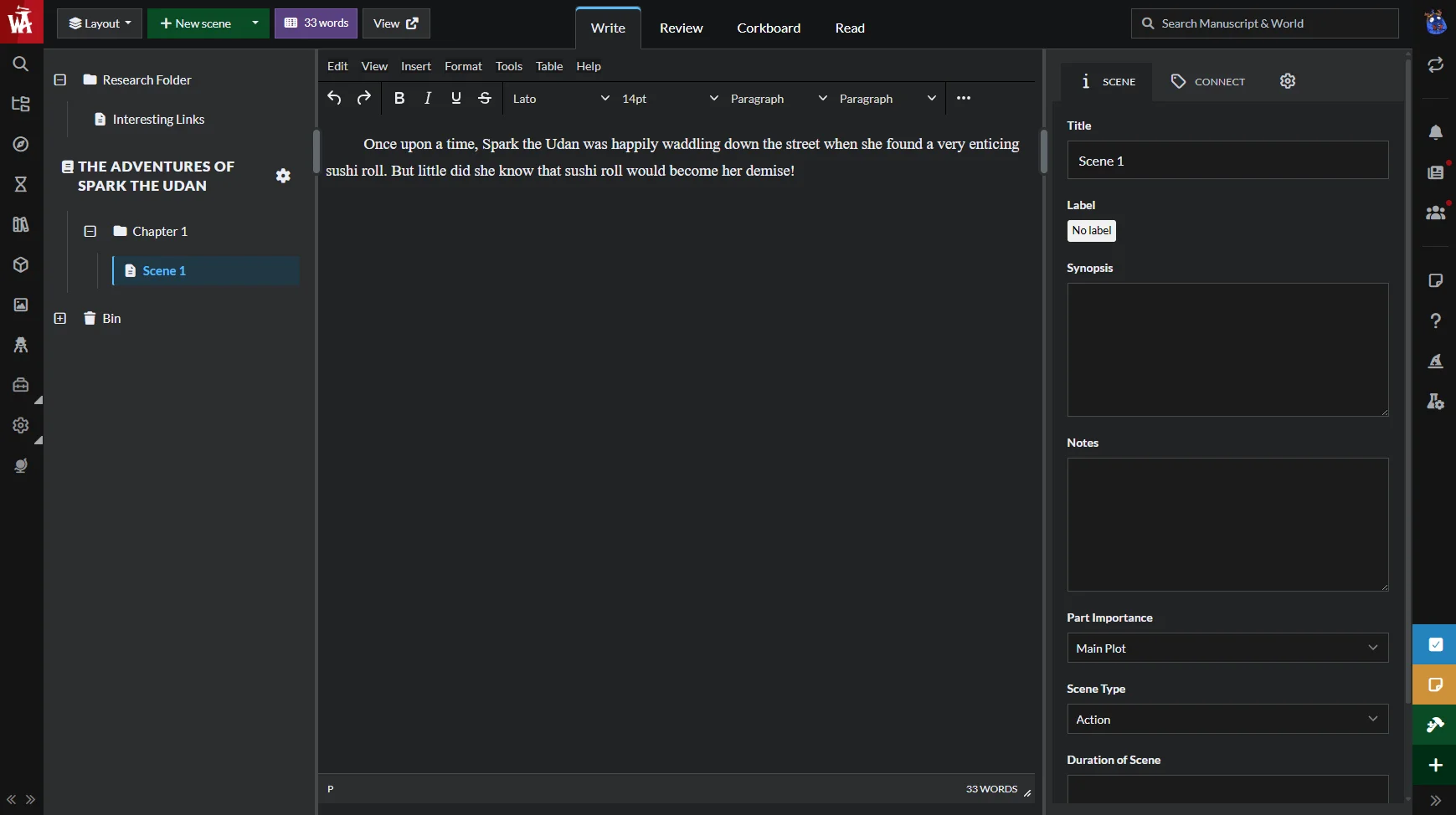
World Anvil's Manuscripts splits the book into chapters and scenes that you reorder by dragging. One search covers both the manuscript and the world, and you can open, read, and edit an article without leaving the page you're writing. There's also a review mode for skimming chapter synopses and a daily word count. Manuscripts starts on the Master plan and exports only to HTML, so PDF or EPUB means converting it yourself.
TypeTak keeps the manuscript and the World in one space from the start. Split view keeps a character from your World or an earlier chapter open beside the page, and you can switch the board to a table to skim the plot scene by scene. Manuscripts export to PDF, DOCX, TXT, and EPUB. If you want, the agent can take on drafting and revision, but you never have to use it.
Campfire's Manuscript module keeps your lore in a Notes sidebar beside the page. You tag characters and locations in the manuscript, and get chapter word goals, version history, and collaborator comments. Chapters lay out as index cards you drag around, and manuscripts export to PDF and EPUB. The desktop app works without an internet connection.
4. Publishing and sharing
| Feature | World Anvil | TypeTak | Campfire | LegendKeeper |
|---|---|---|---|---|
| Publish your world to the web | Pro plan | |||
| Control visibility entry by entry | Subscriber groups | Public · link · private | Share by element | Permissions |
| Customize the published design | Themes · CSS | Name · icon · cover | ||
| Visitors read the manuscript | Reading app · sales | |||
| Visitor comments | ||||
| Edit together | Co-authors | Invite collaborators | Real time | |
| Export your world | JSON · HTML | PDF · HTML · DOCX · TXT · Markdown | Backup · DOCX | HTML · JSON |
World Anvil, TypeTak, Campfire, and LegendKeeper all publish your world to the web and let you choose what to show to whom.
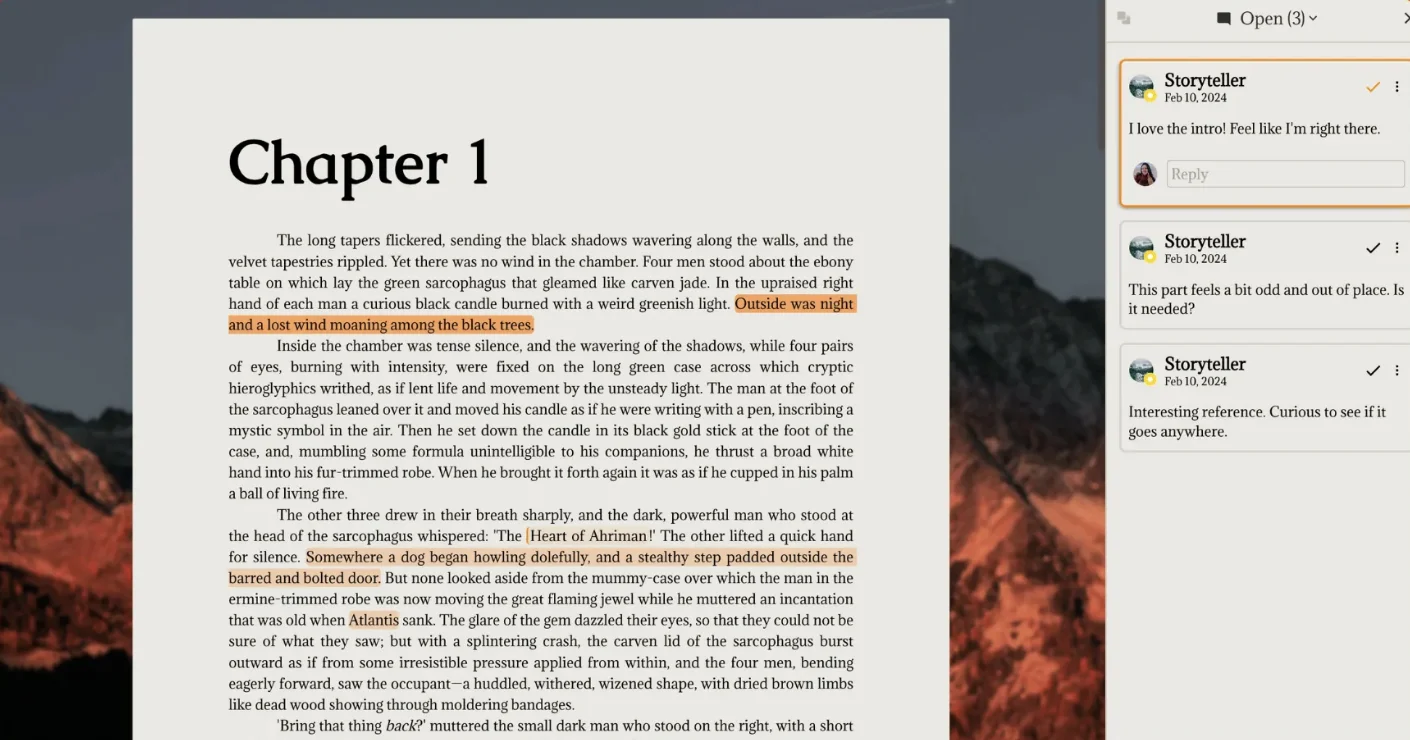
World Anvil has the richest publishing. Themes and CSS shape how your public world looks, and subscriber groups let you open parts of articles, or even individual map pins, to different groups. Readers can comment on published chapters. You can invite co-authors, but while one person edits an article, others can't edit it. On the free plan, worlds can't be private, so everything you write is public.
TypeTak lets you pick the manuscripts and World to publish, and anyone can read them from one link, no login needed. Visitors browse your lore as cards and a graph, read the manuscript like a book, and leave comments. Each entry can be public, shared by link, or private, and lore you're not ready to reveal stays hidden. Your World exports to PDF, HTML, DOCX, TXT, and Markdown.
Campfire lets you sell your book in its own store and reading app. You keep up to 80% of sales, and readers can unlock extras like character profiles and maps alongside the book. Projects can be public, link-only, or private, and you can invite as many collaborators as you like to view, comment, or edit.
LegendKeeper lets you build together in real time. Only the project owner needs the Pro plan; invited guests join free and can see each other's cursors on the map. Publishing takes one click, and permissions decide what readers see. LegendKeeper has said it will never put export behind a paywall, and you can download the whole wiki as HTML or JSON.
Pricing
| Item | World Anvil | TypeTak | Campfire | LegendKeeper |
|---|---|---|---|---|
| Monthly price | From $4.50/month billed yearly | $12 / $40 | $12 (all modules) | $9 |
| Ongoing free plan | ||||
| Free trial | 7 days | 14 days | ||
| Lifetime plan | Grandmaster · Sage | |||
| AI usage | Usage limit per plan |
World Anvil's free plan (Freeman) allows 2 worlds, 2 maps with 10 pins, and 2 timelines; private worlds, Secrets, and Manuscripts need a paid plan. Paid plans are Master, Grandmaster, and Sage, and the top two also come as a one-time lifetime purchase.
TypeTak gives each plan an AI usage limit and has a free plan that renews each cycle. Your World and manuscripts work on any plan, whether or not you use AI.
Campfire's free plan opens every module with caps, like 25,000 manuscript words and 10 characters. Besides Standard, which unlocks every module, you can buy only the modules you need.
LegendKeeper needs the Pro plan after a 14-day trial. If your subscription lapses, you can still view and export your projects but can't edit them.
World Anvil — Master, Grandmaster, Sage (from $4.50/month billed yearly, per the official FAQ). TypeTak — Pro $12/month ($9/month billed yearly), Max $40/month ($29/month billed yearly). Campfire — Standard $12/month. LegendKeeper — Pro $9/month or $90/year.
Which one fits you?
World Anvil fits writers who
- want template prompts to guide them through building a world with nothing left out
- want to show their world through maps, timelines, and family trees
- want to reveal lore to subscribers step by step
TypeTak fits writers who
- want their worldbuilding and manuscript in one place
- want to work on their lore in a modern editor and see it as a graph and a table
- want to publish their manuscript and world encyclopedia to readers together
- want to hand off lore organizing and drafting to AI when they choose
Campfire fits writers who
- want a dedicated module for each kind of lore, like magic systems, languages, and religions
- want to buy only the modules they need
- want to sell their book themselves, with extras
LegendKeeper fits writers who
- want to build their world around maps
- want to build a world together with others in real time
FAQ
Can I move my World Anvil lore to TypeTak?
Export your articles from World Anvil as HTML and upload them with TypeTak's Import, and they become document pages. Then ask the agent to organize them into your World, and it moves the characters, places, and lore into World entries.
Can I use TypeTak without AI?
Yes. You can create and edit every World entry and manuscript page yourself. Call on the agent only when you want it.
Is there a free World Anvil alternative?
TypeTak and Campfire both have free plans you can keep using. LegendKeeper requires a paid plan after its 14-day trial.
Sources
- World Anvil: Features, Pricing, FAQ, Article templates, Autolinker, Secrets, Maps, Timelines, Manuscripts, Co-authors, Export, AI feature request
- Campfire: Pricing, Worldbuilding tools, Characters, Maps, Timeline, Word processor, Publishing, FAQ
- LegendKeeper: Features, Pricing, FAQ, The basics, Map tool, Timelines, LegendKeeper vs Campfire, Changelog
- Reviews: Kindlepreneur World Anvil review
Share This Post
Change your first sentence with TypeTak today
Start TypeTakView More Content
→Find out how TypeTak is built, how to use it, and what helps you write.